Press play on your code.
Symphony turns every function of a Go program into a graph you can follow, change and run. Underneath, it's still your Go code.
- Any Go folder, no setup
- Go and goer come in the box
- Linux and Windows, free under MIT
- Works with Claude, Codex and opencode
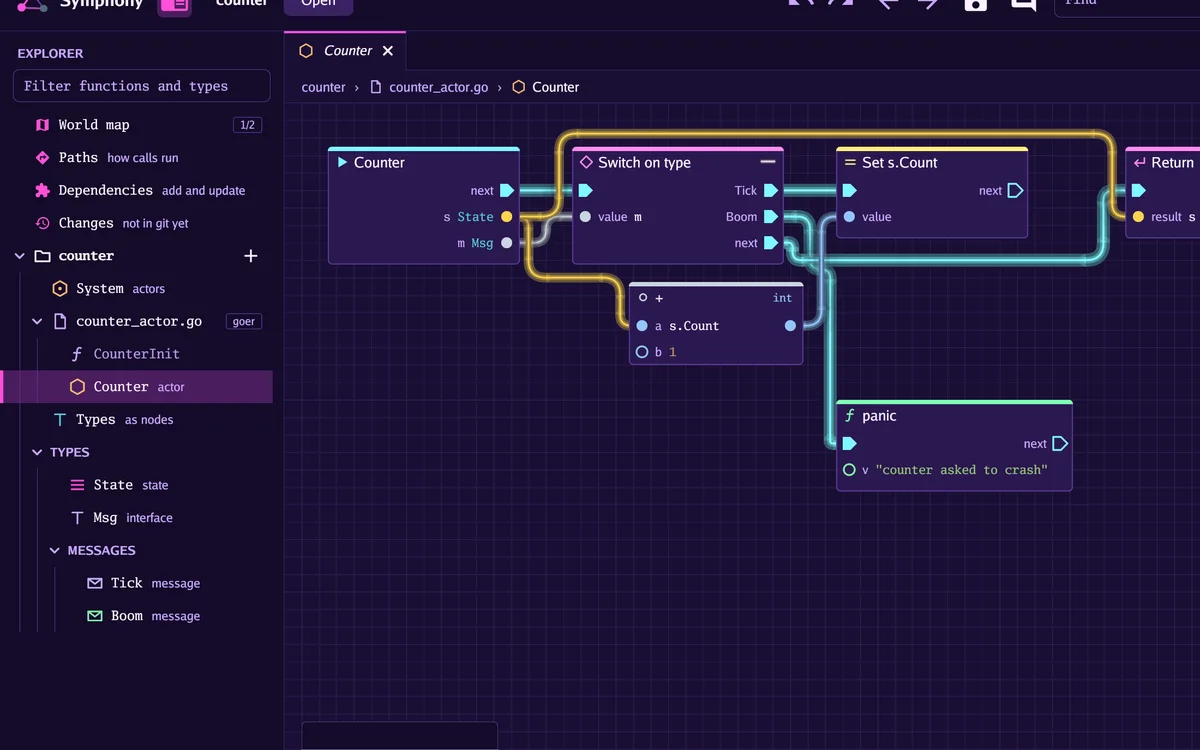
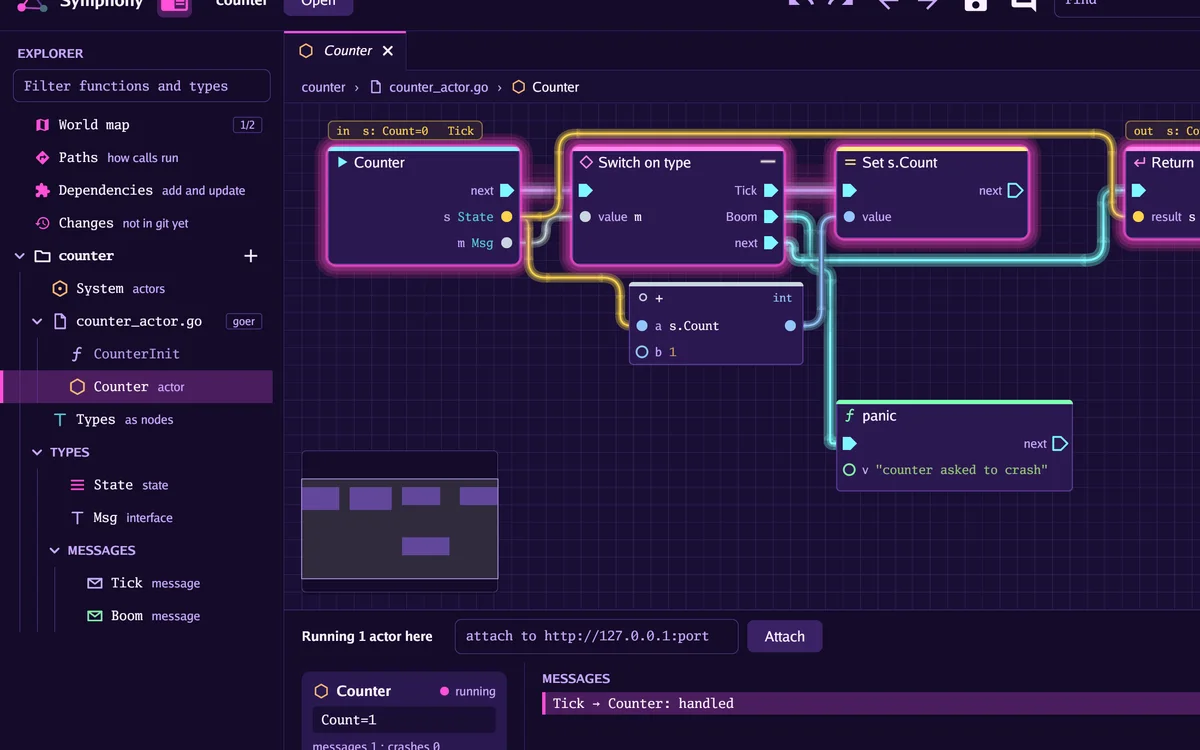
Counter, a small function from our made-up example, as code and as Symphony draws it. Each Tick message lights the steps it takes and adds one to the count. Point at a line or a node and its partner lights up: they're one and the same, and every change on the graph is written back to the file.
A made-up example you've probably lived: it's Friday afternoon, a counter is stuck at 100, and you're scrolling a switch statement to work out which branch ran. On the graph, you follow the lit wire.
New to Go? Five words this page leans on.
- Function
- One named piece of a program. Symphony draws each one as its own graph.
- Package
- A folder of code that belongs together. A program is a few of them.
- Type
- The kind of data something is: a number, text, or a shape you've named.
- Test
- A small function that checks another one does what it should.
- Actor
- A piece of a program that waits for messages and reacts to each one.
What you can do with it.
The picture is the code
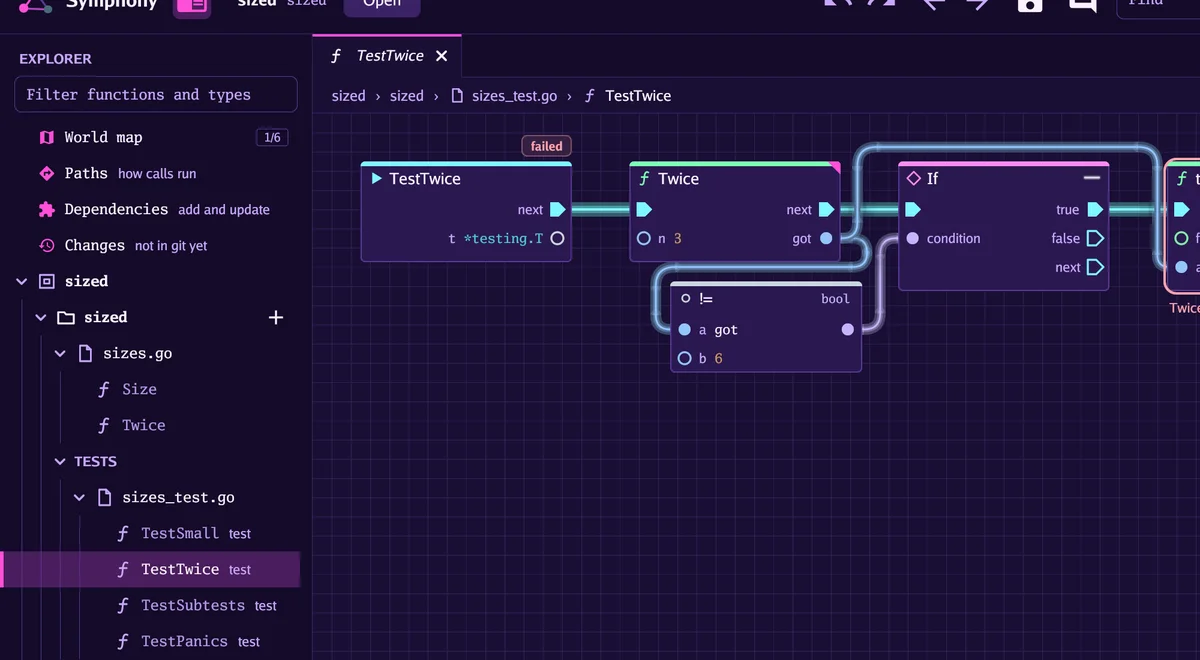
Open any folder of Go code: its functions are laid out as cards, and each is a graph drawn from the file itself, so it always matches. Move a wire and the .go file changes. The only extra thing saved is where you dragged the boxes.
Watch it run
Press Run and the path your program takes lights up as it goes, with each value shown on its pin. A crash marks the node that went wrong. A breakpoint can wait for a condition you pick from lists.
Drag, pick, done
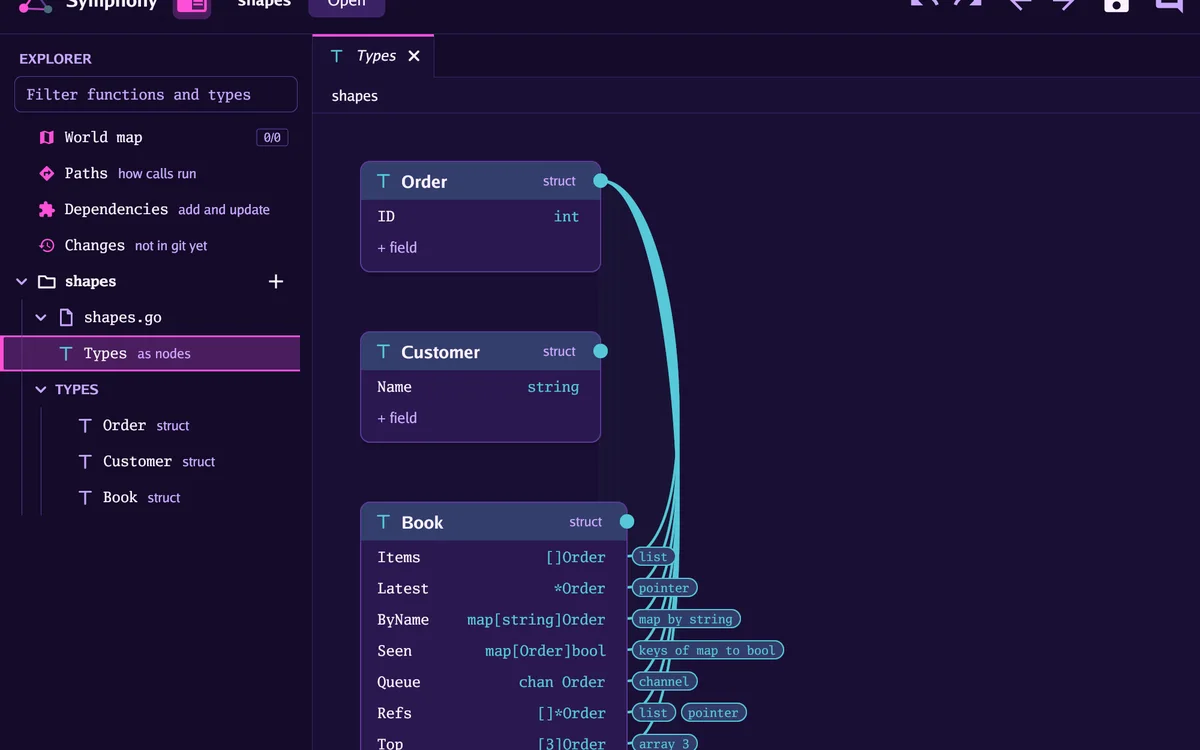
Pull a wire from a pin and pick what comes next from a list that already knows your types. Types are picked too, and a list or a map of one is a couple more picks. Nothing needs Go written at the keyboard; the / bar is there if you'd rather.
Tests are graphs too
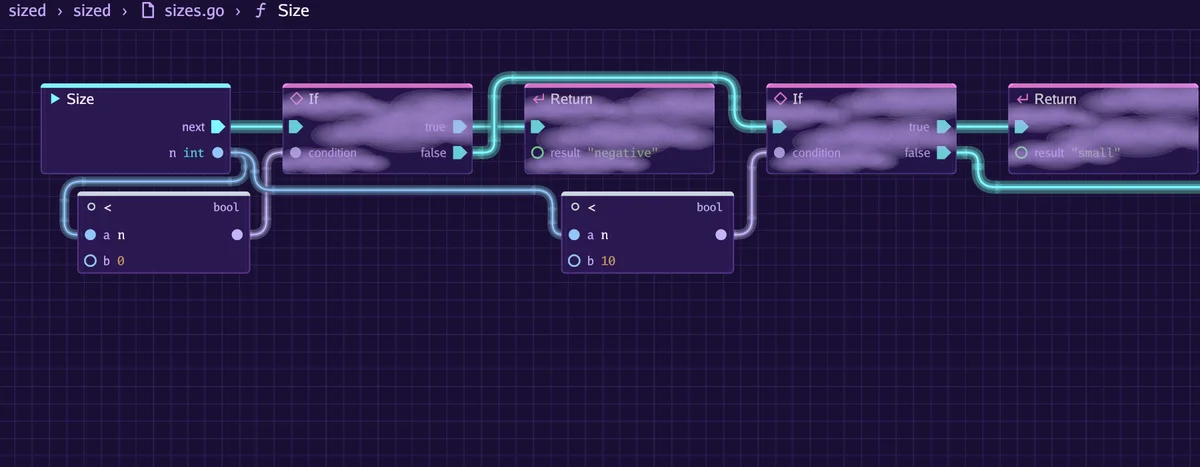
A test opens like any function. Run it and the result lands on its graph, with the node that complained and what it said. Coverage puts smoke over what the tests never reached. Test this function writes a test for you, with cases you fill in as a form.
Get your bearings in a big codebase
The call graph shows which functions use which, Paths lists every route from main, and the world map turns packages into islands that light up as you visit them. Find searches every function in the project at once.
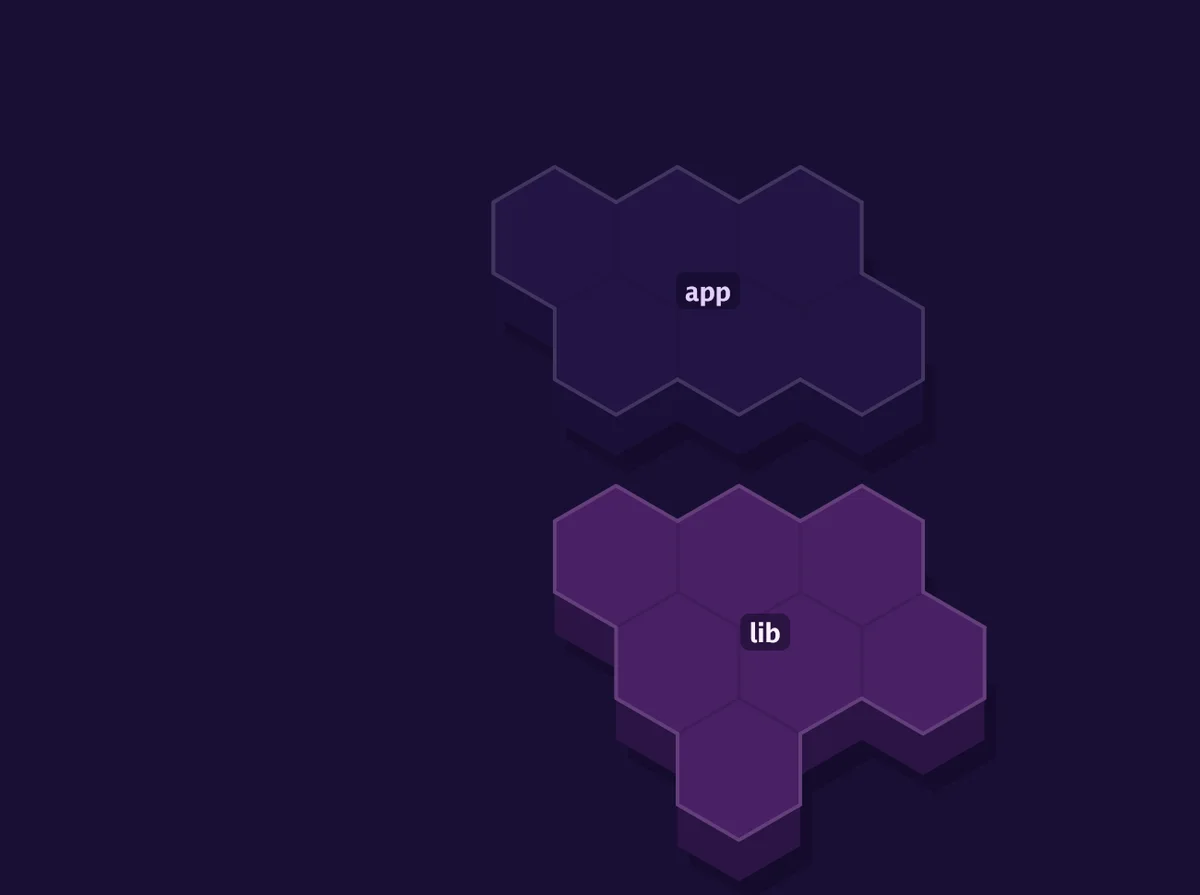
See the whole system
Symphony also works with goer, our small language that adds actors to Go and builds right alongside it. Think of actors as people passing notes. The system view shows who's passing what to whom, and a run shows what each one is holding.
More about goer at goer.p6m.onlNothing else to install
The download comes with its own copy of Go and goer. Unpack it, open a folder, and you're away.
Build it with an AI you can watch.
An AI assistant such as Claude, Codex or opencode can work on the graph while you watch, through MCP, a common way for assistants to use other apps. One click in Settings sets it up on your computer.
See every move
The assistant gets its own pointer on the canvas. You see it glide to a pin, open the list and pick, at a pace you can follow or, if you'd rather, at once. Ctrl+Z undoes anything it did.
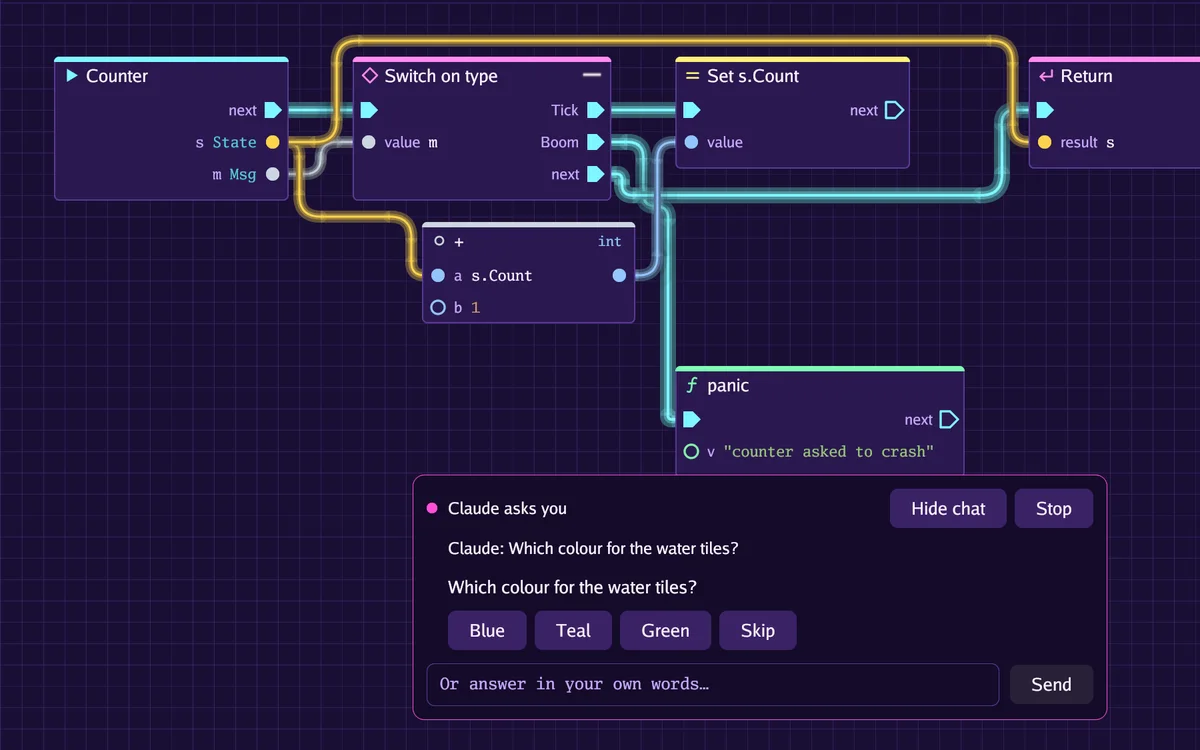
Chat while it works
The corner of the window always says what the assistant is up to. Click it for a chat: it tells you what it's doing, asks when a choice is yours, and Stop pauses it until you answer.
It builds the way you do
The assistant never types Go, because we'd rather you never have to either. When the lists lack something, it says so and asks how to go on. Symphony keeps that list, and it's how we decide what to add next.
It asks before it acts
It can start a project, add modules, run and debug your program, and commit with git. Before it commits, changes modules or runs anything, Symphony asks you first.
Learn it by playing.
Open Learn in Symphony's toolbar and pick one.
Eight short lessons
From one Go file to two actors talking to each other, with a test that goes red, then green, on the way. Stuck on a step? Show me does the move.
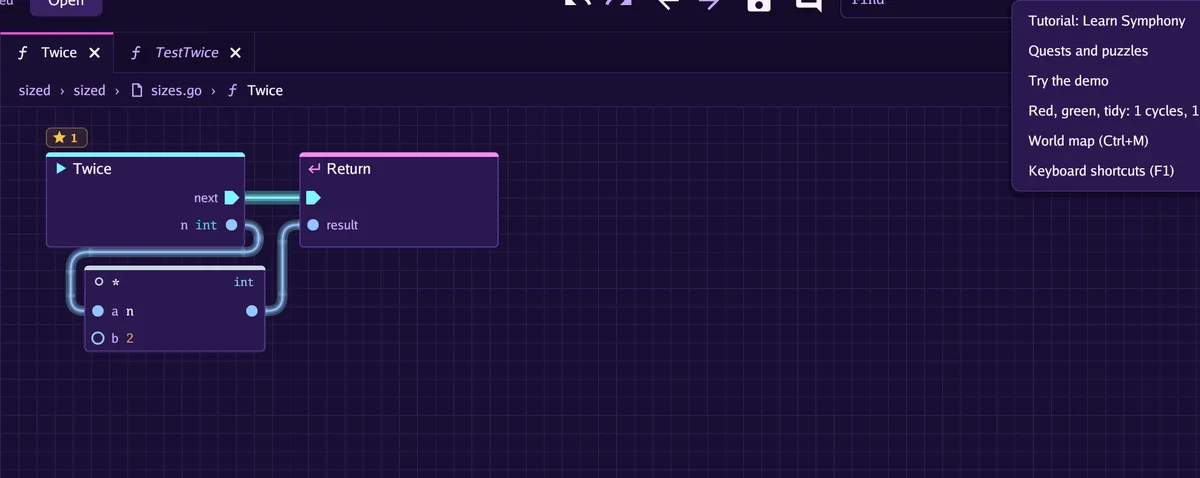
A map of quests
The same lessons laid out as quests on a map, with a badge for each one you finish.
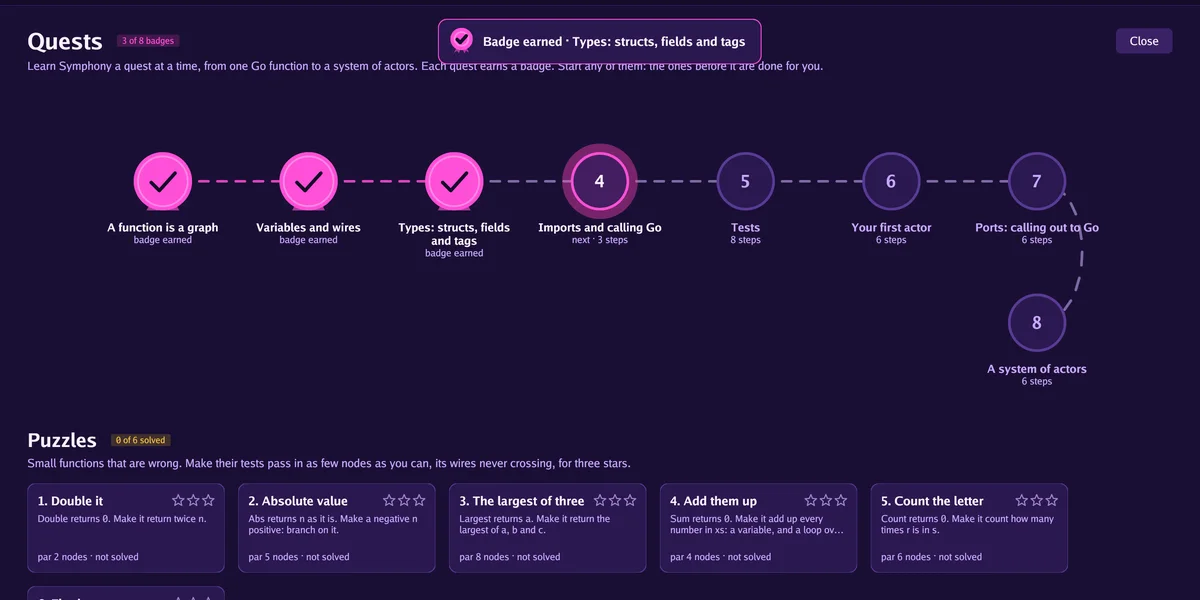
Six broken functions
Each comes with tests that fail. Fix the function, then have another go with fewer nodes and fewer crossed wires to earn more stars.
What it won't do.
Symphony is one of the q3k.app apps we make at Earnest Ventures. We'd rather you hear these from us than find out after the download.
Two builds we've actually run
We make Symphony on Linux and have worked in the Windows build too, both on an Intel or AMD chip. The builds for ARM chips come out of the same pipeline, but we haven't run them ourselves yet. If you're on a Mac, sorry, there isn't a download for you.
You'll still be reading Go
You never have to write Go to build in Symphony, but it works on Go code, so you'll see Go on the nodes. If you're new to it, the graphs help you follow along, and a Go tutorial alongside covers the language itself.
Assistants still get stuck
Some things can't be built from the lists yet. When an assistant hits one, it stops and asks you rather than working round it, which is slower but keeps your project something you can follow.
It's young
We're still sanding off rough edges. What's on disk is plain Go, so you can always carry on in the editor you already use. Report a problem opens an issue on our GitLab under your own account, and Symphony is free to use under the MIT licence.